
Here is how you easily can see all file information.
Specifically, this information includes:
- Basic technical information about size, filetype, location, resolution, created date
- File data such as attributes and tagged data from custom fields (read more HERE)
- Metadata
- Comments and questions (read more HERE)
- File history
- Download Statistics (read more HERE)
- Direct URL and CDN Links (read more HERE)
The visibility of this information depends on the different user types and permissions.
Admin users will by default be able to see all information.
Read more on permissions for different user groups in this separate User Guide.
Here is how you can access the file info:
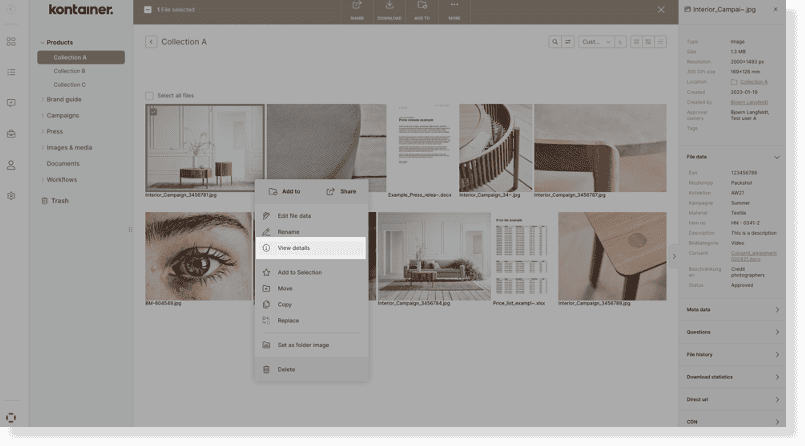
Folder view – ribbon
View the information on your files by clicking on the three-dotted menu on your files thumbnail and click View Details.
The file’s information will be shown in the pop-up ribbon on the right-hand side of your screen.
Preview / gallery view – ribbon
Alternatively, open the preview of a file by clicking on it – and then choose the info icon in the top bar to show info.
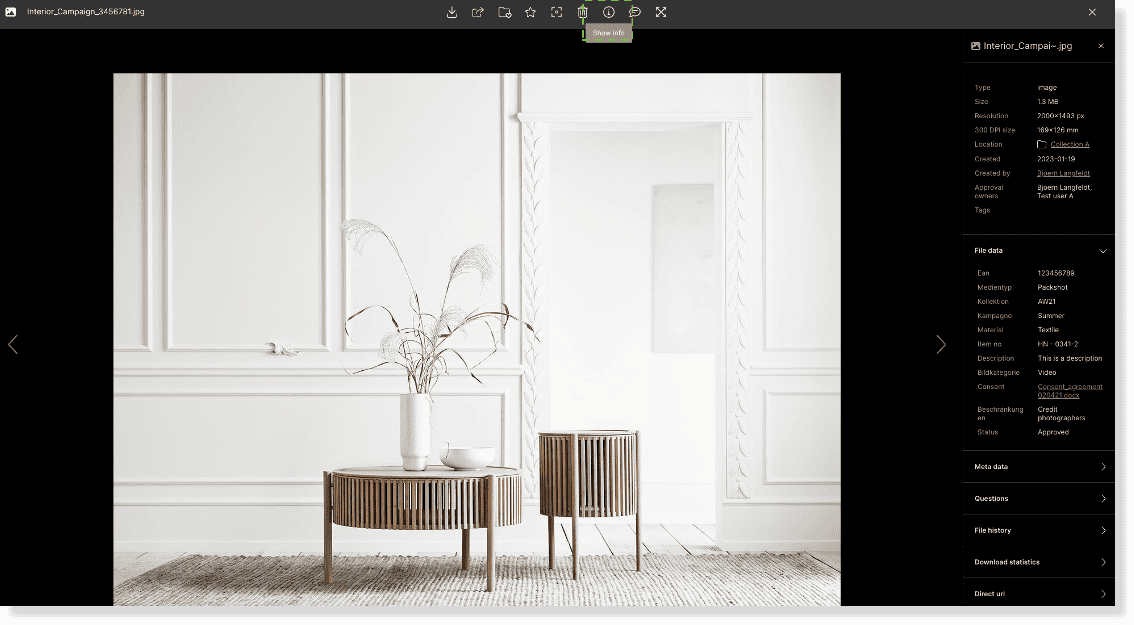
This will display the same file information, as when being in folder view – in a pop-up ribbon on the right-hand side.
In the preview, however, you can use the left and right arrows to flip through your files, while displaying the file information on the right-hand side.
On hover
When you hover over an image, the tagged data is displayed underneath the image.
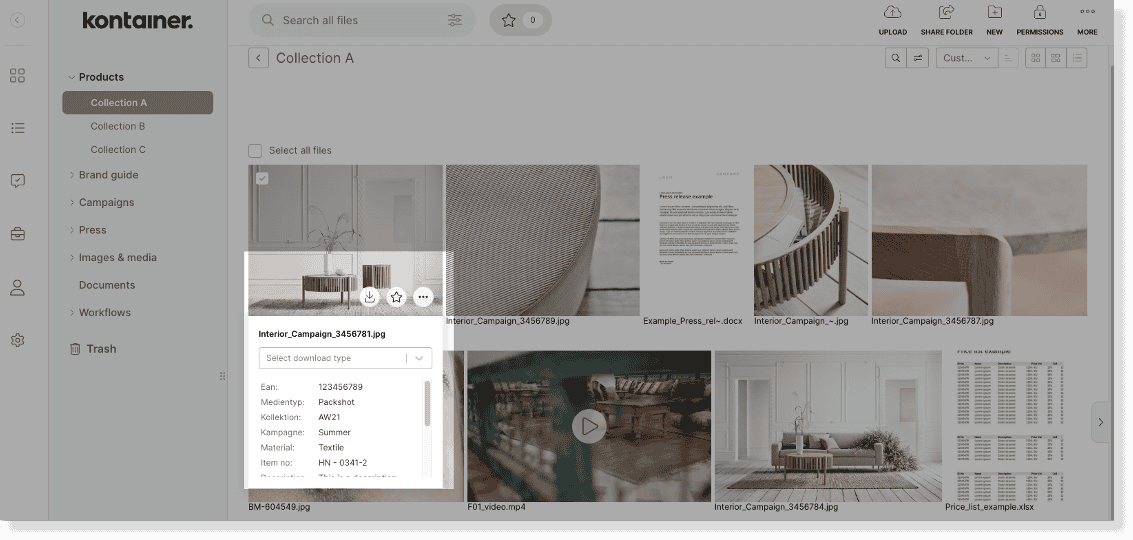
The feature can be disabled under Settings > Configuration.
Read more about these tagged file data in your custom fields HERE.
______
That’s it, really.
Get in touch if you have any unanswered questions.
