
Kontainer Helpdesk Kontainer Helpdesk

  • Knowledge base
  • User Guides
  • Support
Home / Settings etc. / Restore Files From Trash

Restore Files From Trash

1355 views Less than a minute 0

If you or one of your colleagues accidentally deleted files or folders in your Kontainer, you’ll have the possibility to restore the files from trash.

Go to Assets > Trash and find the folder or files that you’d like to restore.

Right-click on the items and choose restore.
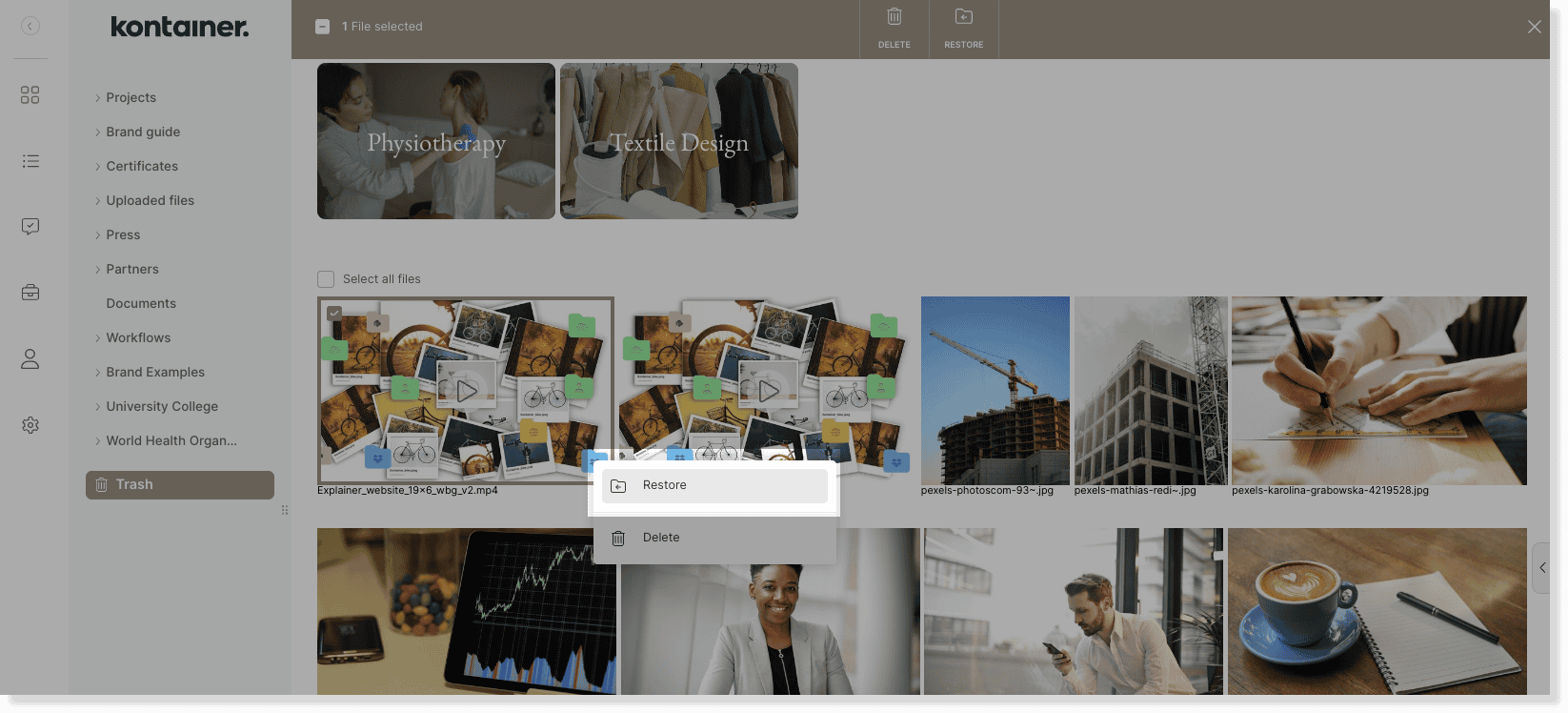
restore from trash image 1

Then, select the folder that you want to place the restores items into.
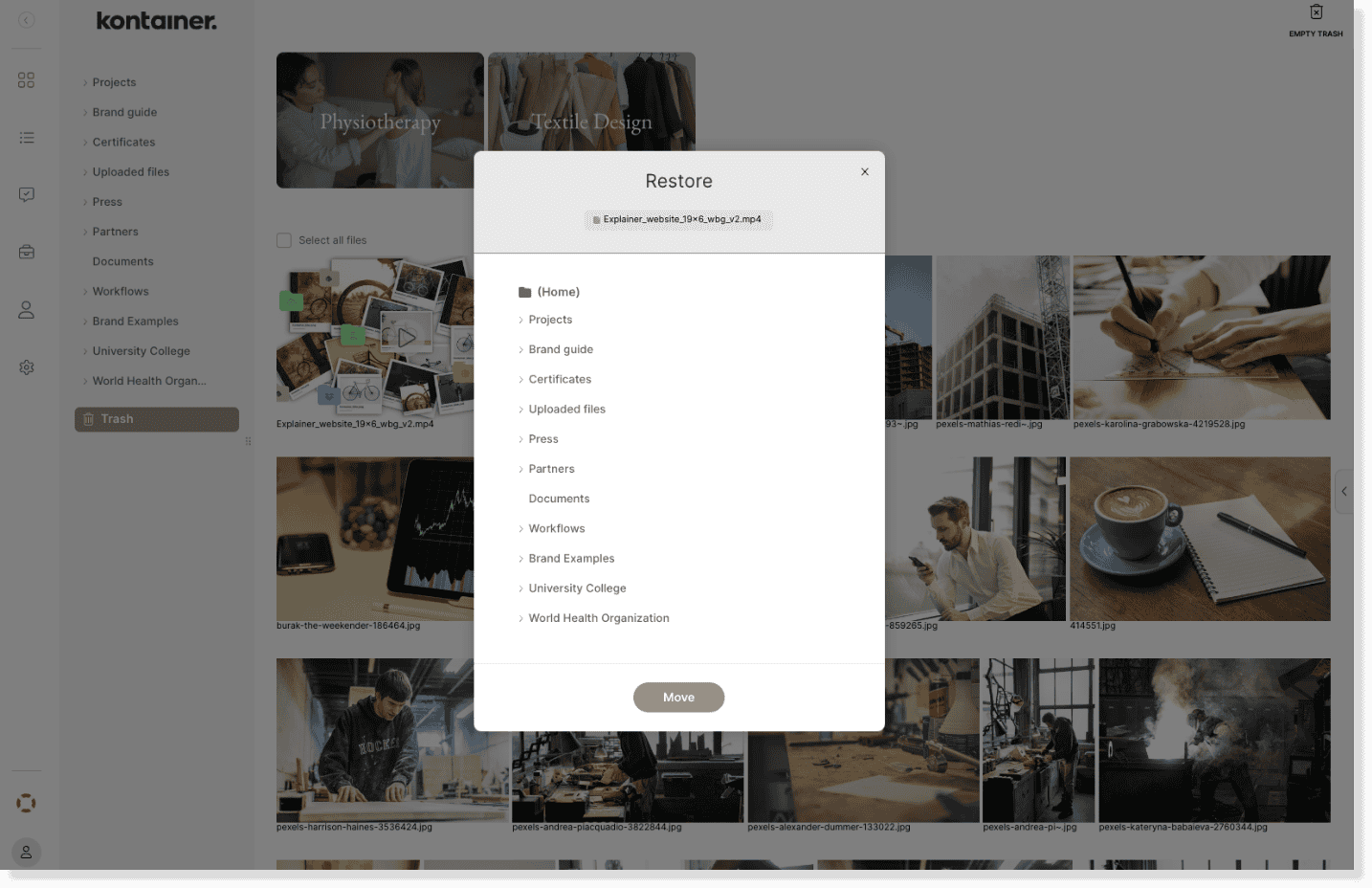
restore from trash image 2


See here how to delete files permanently from trash.


—

That’s about it.

Let us know in case of questions.

Settings etc.

About js

View all posts by js →

Table of Contents

Related Articles

  • Create custom URL
  • Enable Download Terms
  • Intro Guide for New Admin Users
  • Edit File Data

Follow us

Remote support

Book a support session here

For desktop sharing click here

Cookie & Privacy Policy

Please read our privacy policy

Click here

Flatbase by NiceThemes © 2025. — Powered by WordPress.