
You can give detailed access rights for all folders for groups or individual users. There are five permission levels:
- None
- View
- Download
- Upload
- Delete
With Delete rights, a user can also create new folders. They can create subfolders in the specific folders they have Delete rights to.
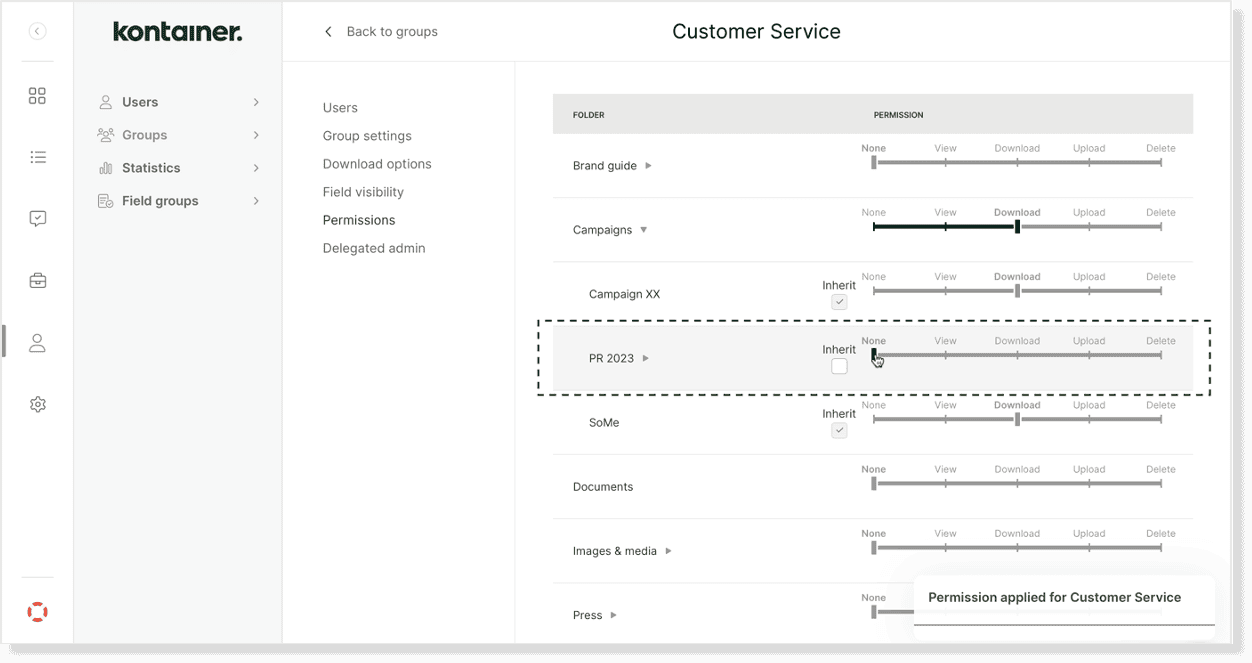
Via access settings
Go to Access > Groups or Users. Select a group or user and go to Folder Access. Then, set the folder access rights for this group or individual user at hand.
Please note that subfolders automatically inherit access unless manually overwritten. Below, you can see an example where the inheritance has been manually revoked in one subfolder:
Via folder permissions
Permissions can also be accessed from the top right corner of a folder.
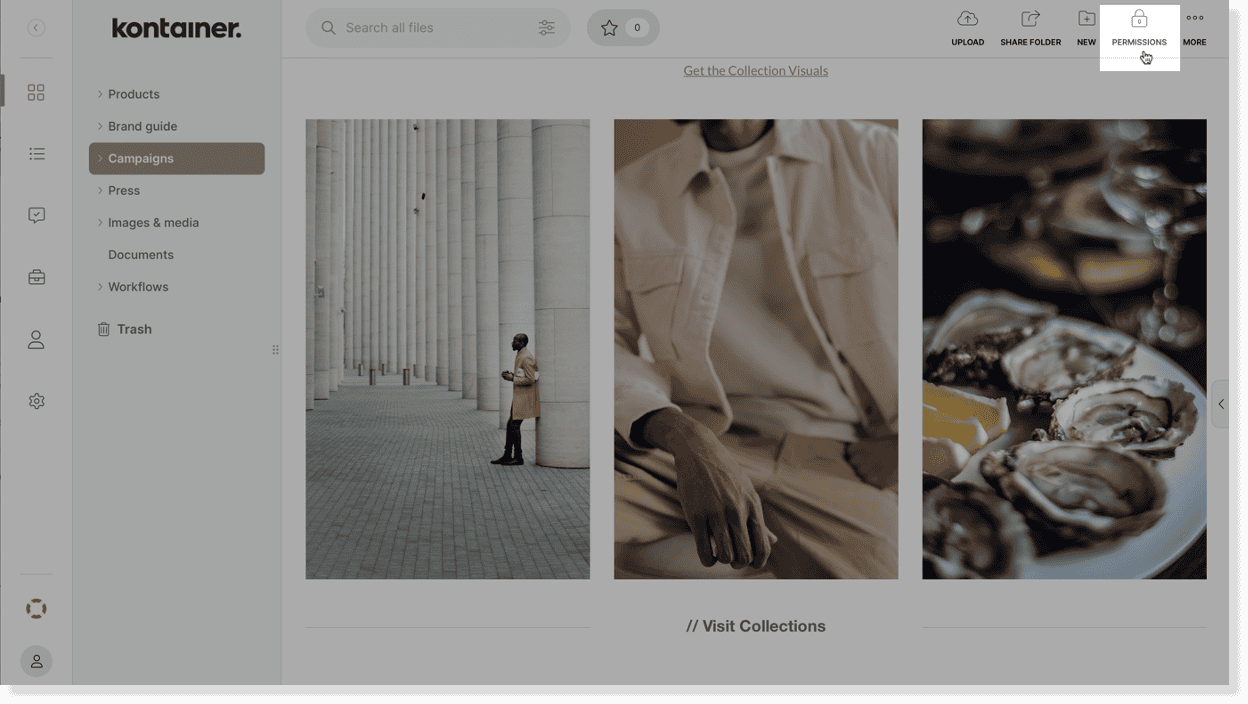
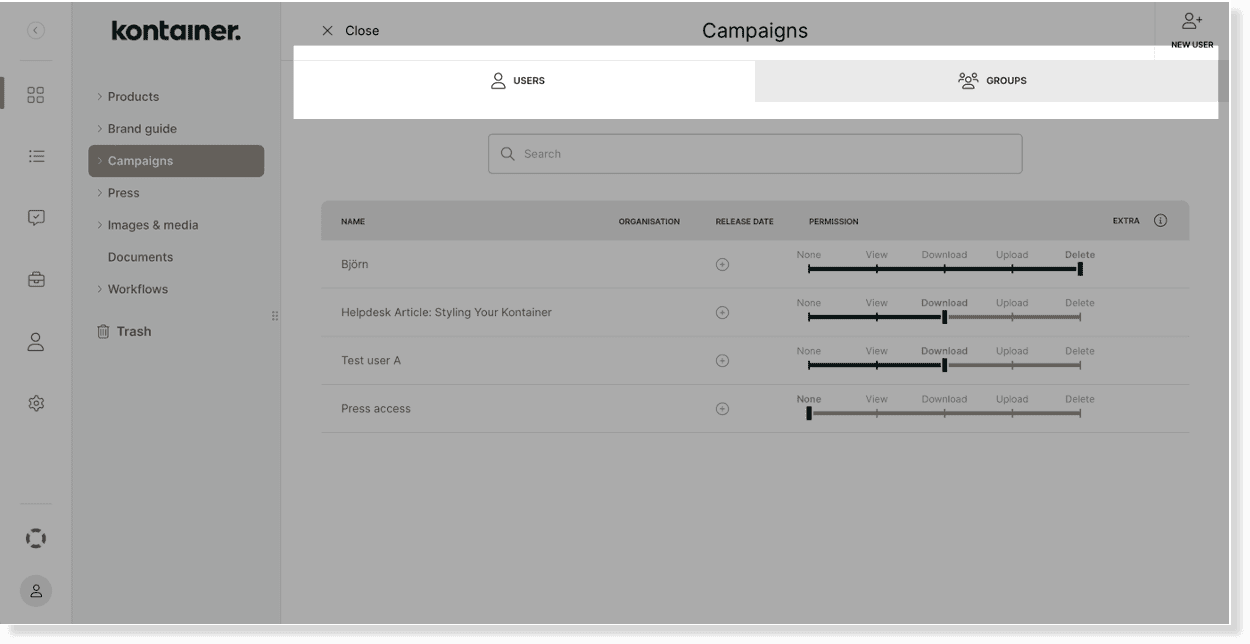
This shortcut is to check or edit access to that specific folder.
—
Read a lot more about permissions and access rights in our user guide here.
