
Kontainer Helpdesk Kontainer Helpdesk

  • Knowledge base
  • User Guides
  • Support
Home / Users, Groups & Permissions / Delete or Deactivate Users

Delete or Deactivate Users

1133 views Less than a minute 0

Go to Access > Users and select the users that you either want to delete or deactivate.

In the top menu, either hit delete or deactivate to confirm.
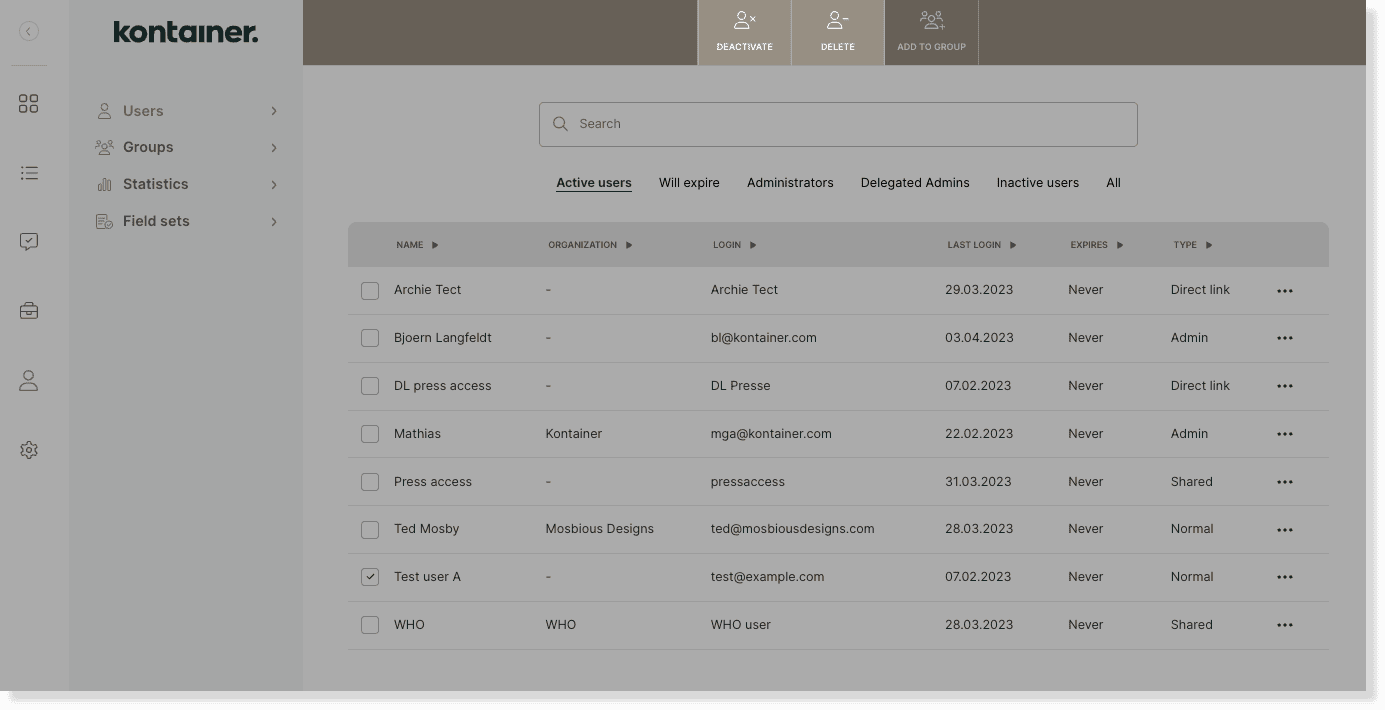
delete/deactivate users image 1

Read more about how to create users and different user types here.

We can set up automations for you, where users that haven’t logged in for a certain period of time, are deactivated/deleted automatically. Get in touch with us, if you are interested in this.

—

That’s about it.

Let us know in case of questions.

Users, Groups & Permissions

About js

View all posts by js →

Table of Contents

Related Articles

  • Establishing an SSO connection
  • User Maintenance Guide
  • Create Open Portal Users
  • Create Admin Users

Follow us

Remote support

Book a support session here

For desktop sharing click here

Cookie & Privacy Policy

Please read our privacy policy

Click here

Flatbase by NiceThemes © 2025. — Powered by WordPress.