
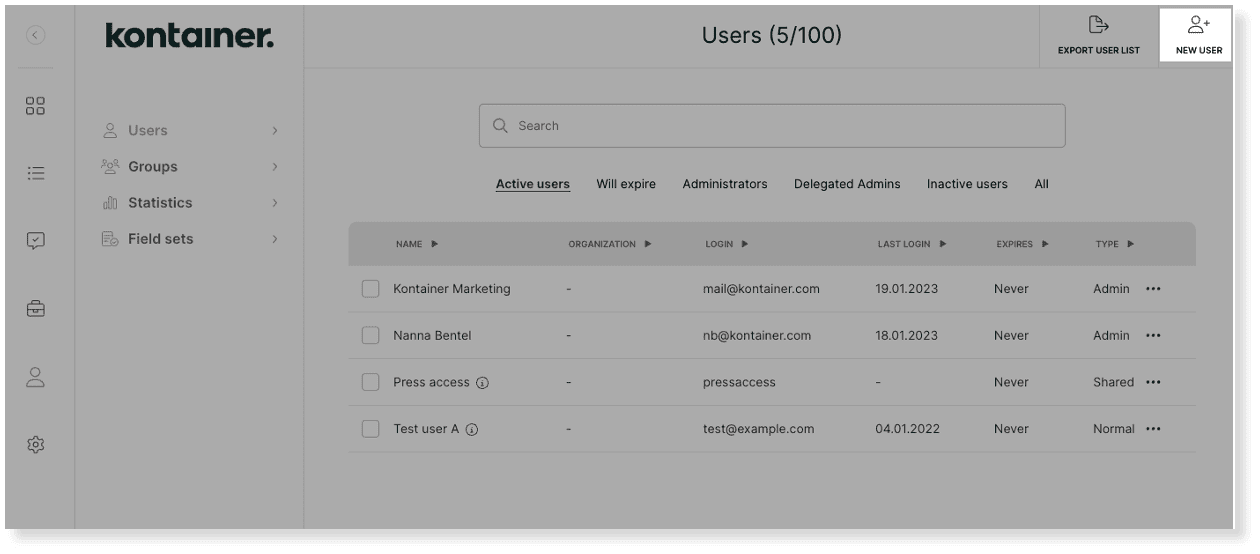
Go to Access → Users → New User for individual user setup. Quickly add them to a group and/or select individual Permissions.
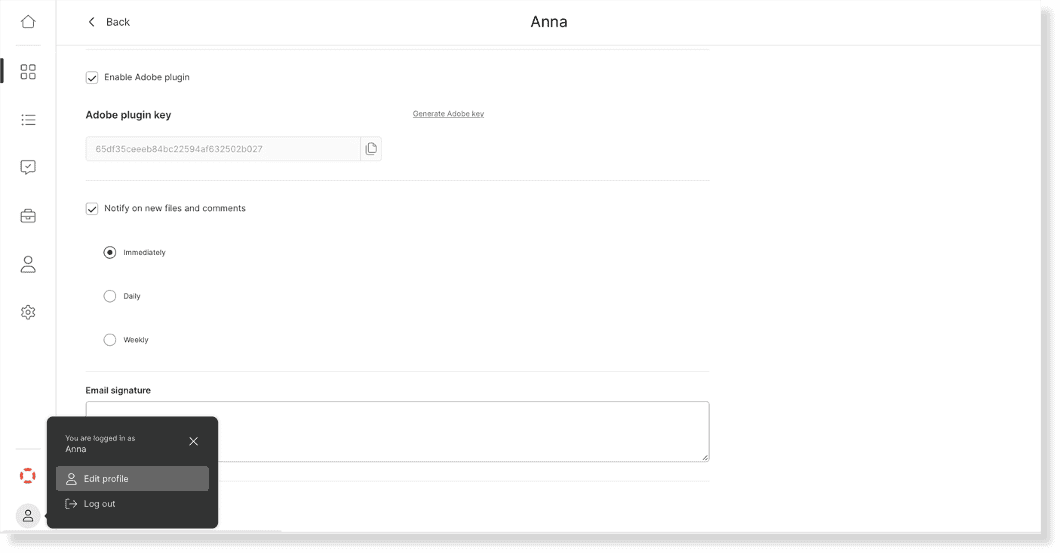
A Normal User can, like an Admin, subscribe to notifications when new files are added to folders, the ones they can see.
The normal user is tied to an email address and password. The password is set by the user and can be reset on their request.
To create, go to Access → Users, and find the New User button in the top right corner.
Select Normal User and fill out the form.
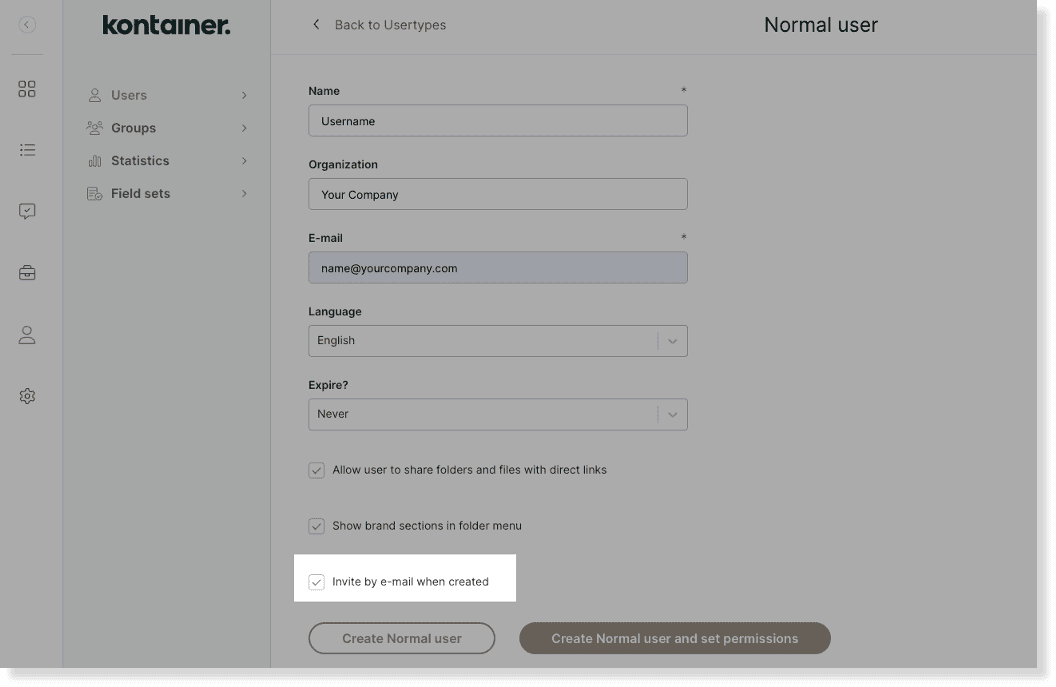
The normal user cannot access files and folders upon creation, so you can skip the invite option, click on Create normal user and set permissions.
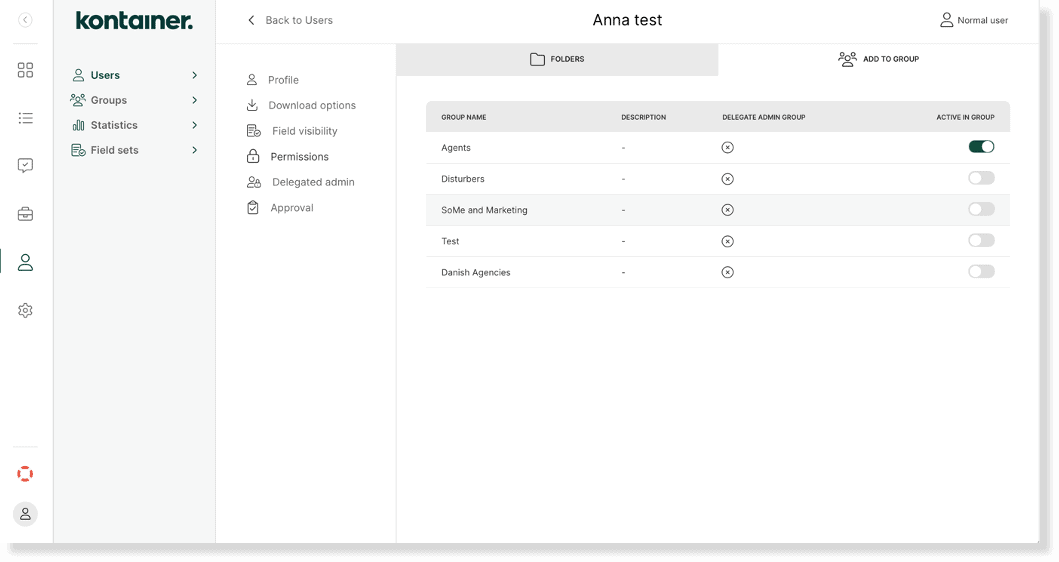
Now set permissions by:
- Adding the user to a group to inherit access from there
- And/or manually setting individual permissions
NOTE: Remember to go through the Download Options and Field Visibility settings on the user or group. These are important to ensure users can access files as well as data and download formats. Select settings regarding folder/file sharing and brand section on the user or group profile.
If relevant, set up notifications on the user profile.
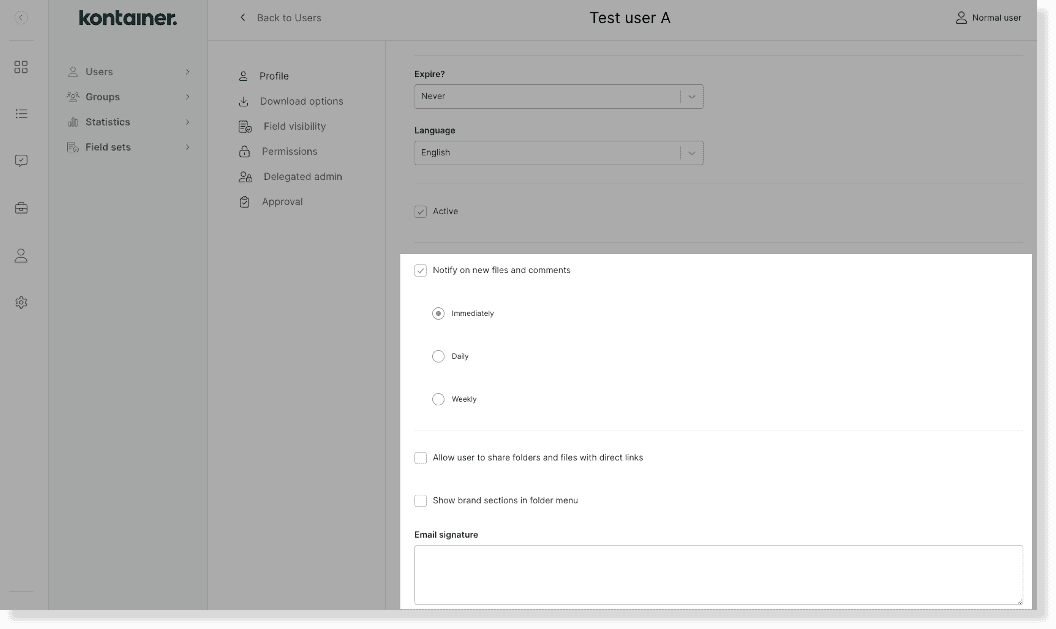
Users can also add it themselves under Profile Settings. In the same view, they can edit the email signature used when they share files.
Once happy with the access setup, you can go to the user profile and send out the email invitation. From the invitation, the Normal User sets up their password and logs in for the first time.
—
Read about the other user types here:
