
Pro+ feature
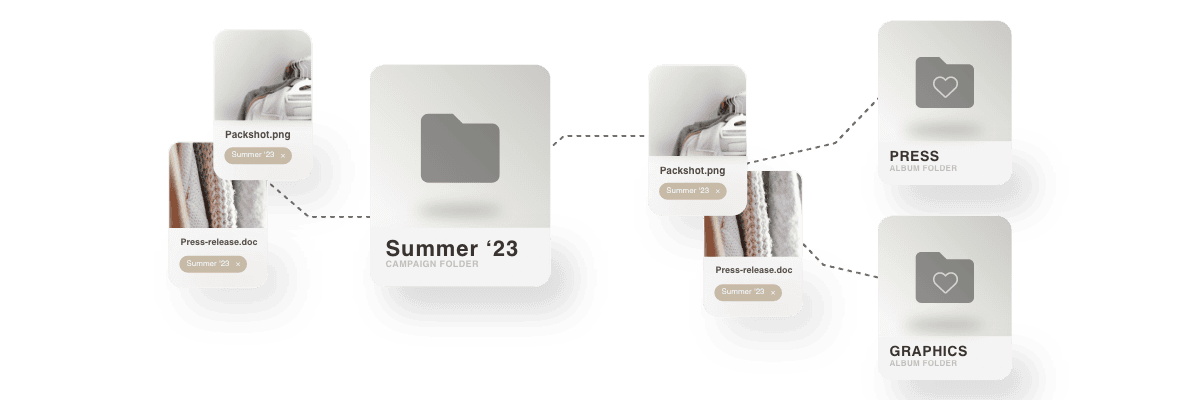
Album folders are a convenient way to create redirects to original files in your Kontainer without creating duplicates of the original files.
That means you can create selections of files across different folders, save space and keep your Kontainer ‘clean’.
Let us go through some of the benefits and how you can use these Album Folders.
Create Album Folders
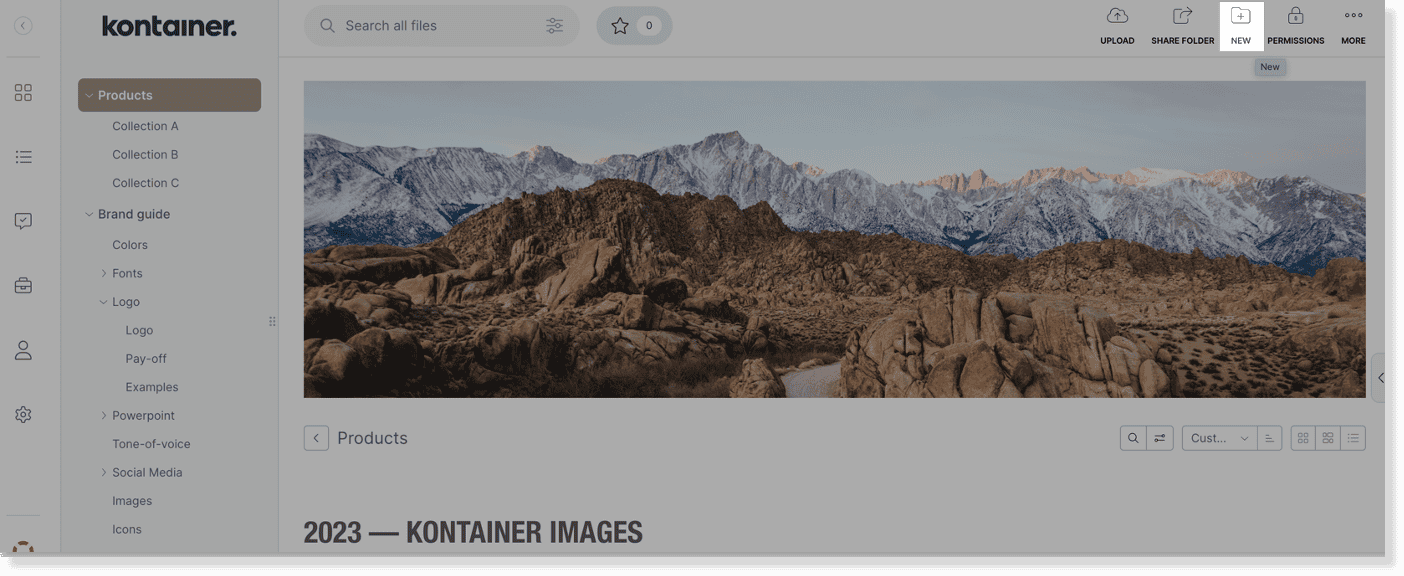
Create an album folder by clicking on the New Folder icon in the top right.
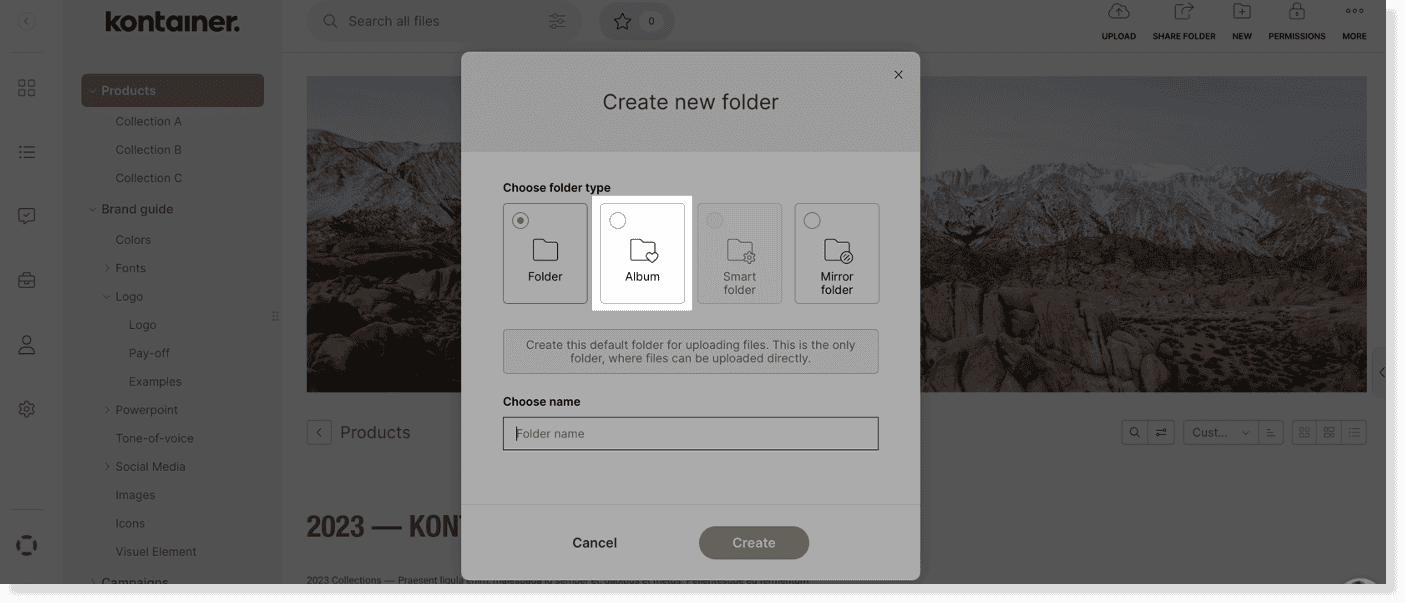
And then, choose Album in order to create the new Album folder.
Add files to album folders
Having created an album folder, you can select original files in your Kontainer and simply click on “Add to” in the top menu.
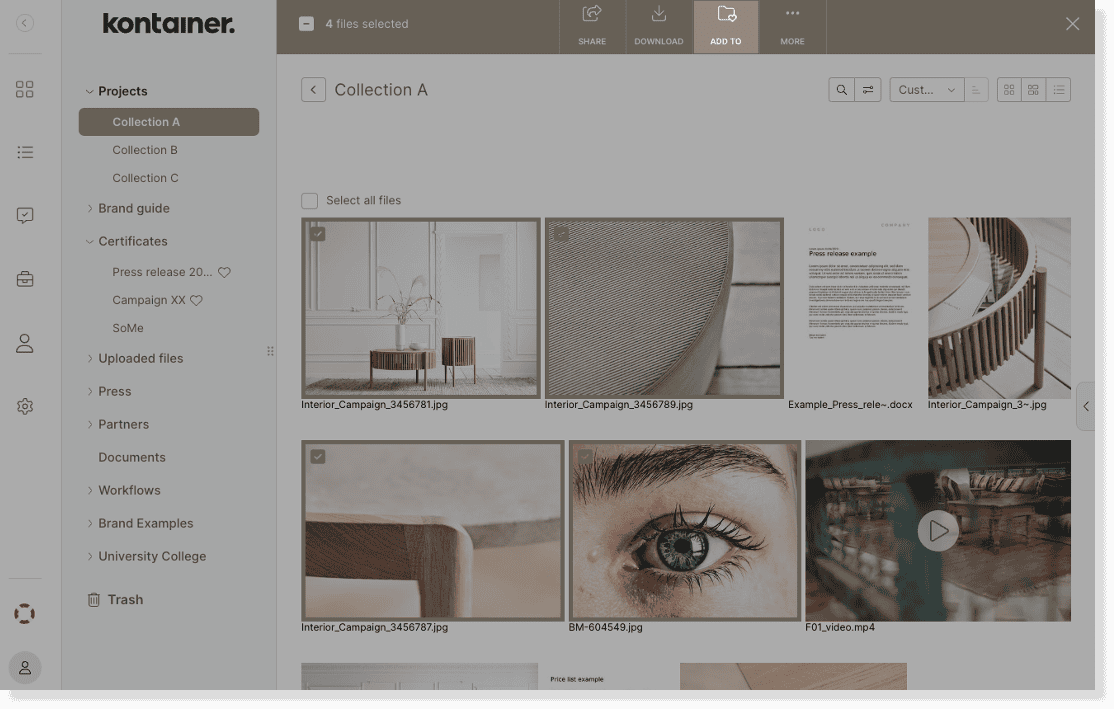
You will then be able to select the desired album folder from a drop-down list.
Drag-and-drop files to album folders
Alternatively, simply drag and drop your original files to an album folder in the menu on the left-hand side.
Your Album folders are indicated with a little heart-icon. This icon is only visible to Admin users. To other users the album folders will just look like regular folders.
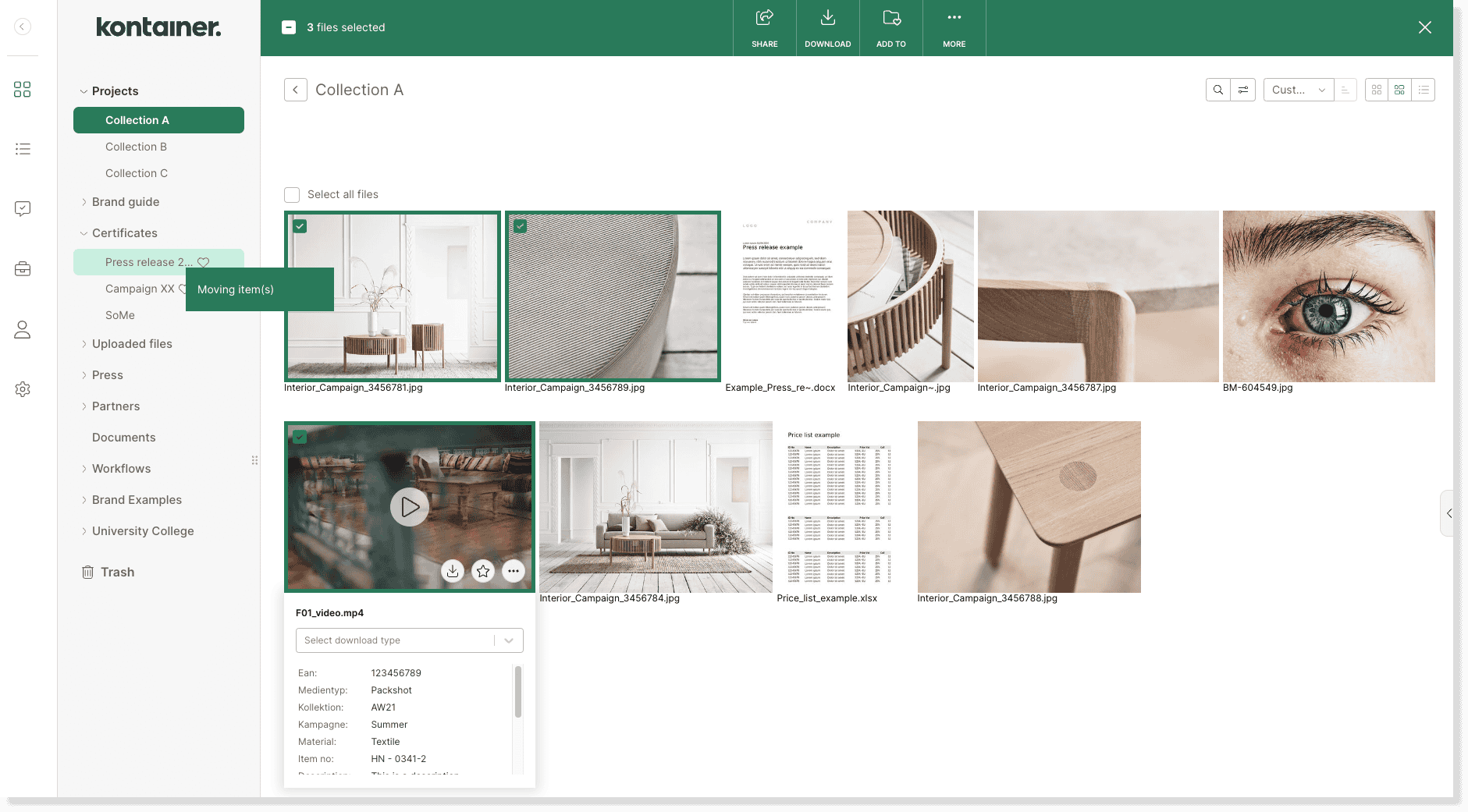
Remove album folders
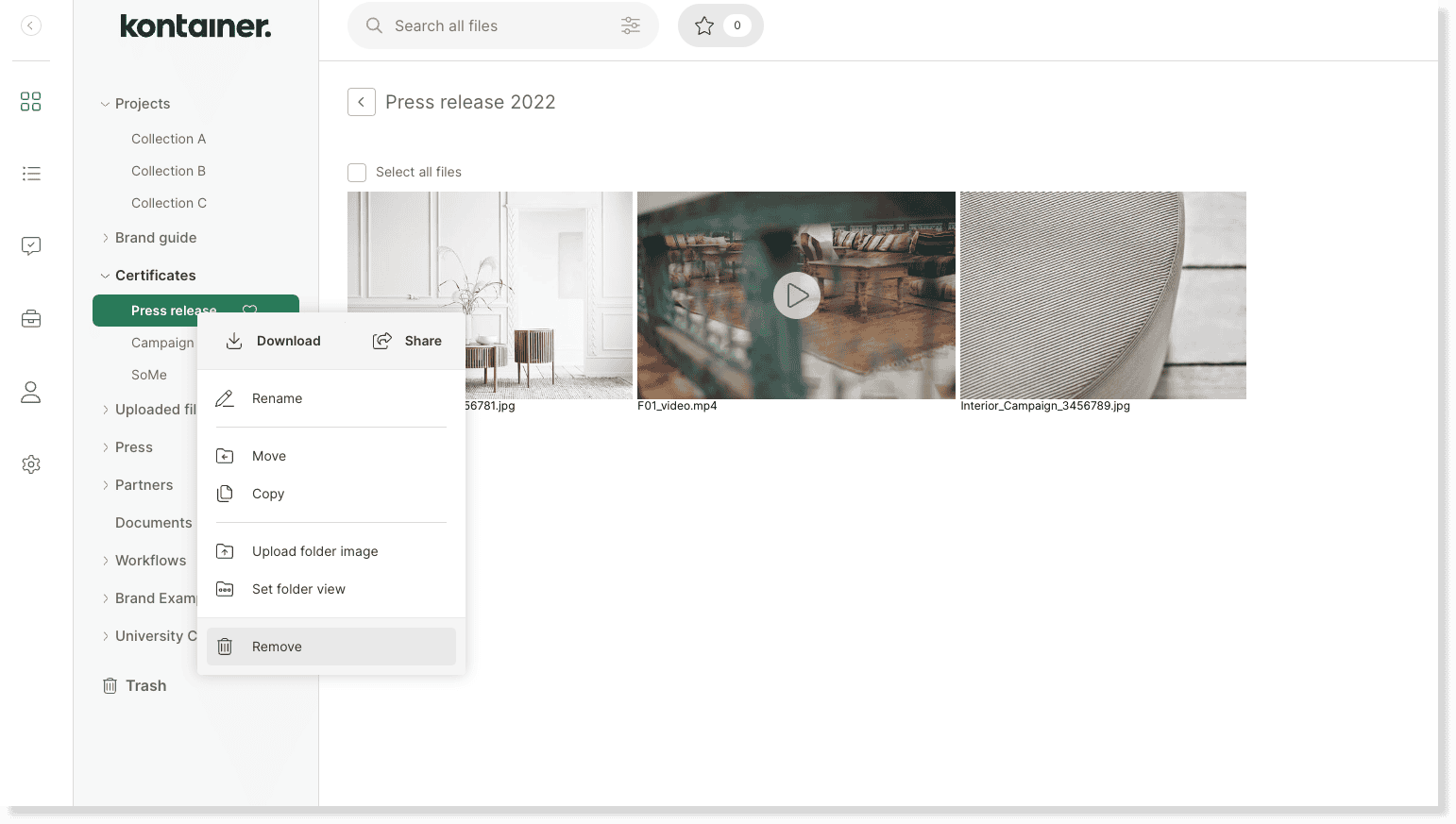
Remove an album by right-clicking on the album and selecting Remove.
Don’t worry, this will not delete your original files. It simply removes the selection of redirects to your original files.
—
That’s it – we’ve covered the basics.
Let us know, if you have any questions.
